How to check Open Graph and social share tags
To inspect how your webpage's server-rendered metadata translates into social share cards, submit the public URL and review the six platform cards and coverage table.
- Enter the full public webpage address (including
https://) into the Webpage URL field. - Select Check Social Tags to fetch the initial HTML response and extract
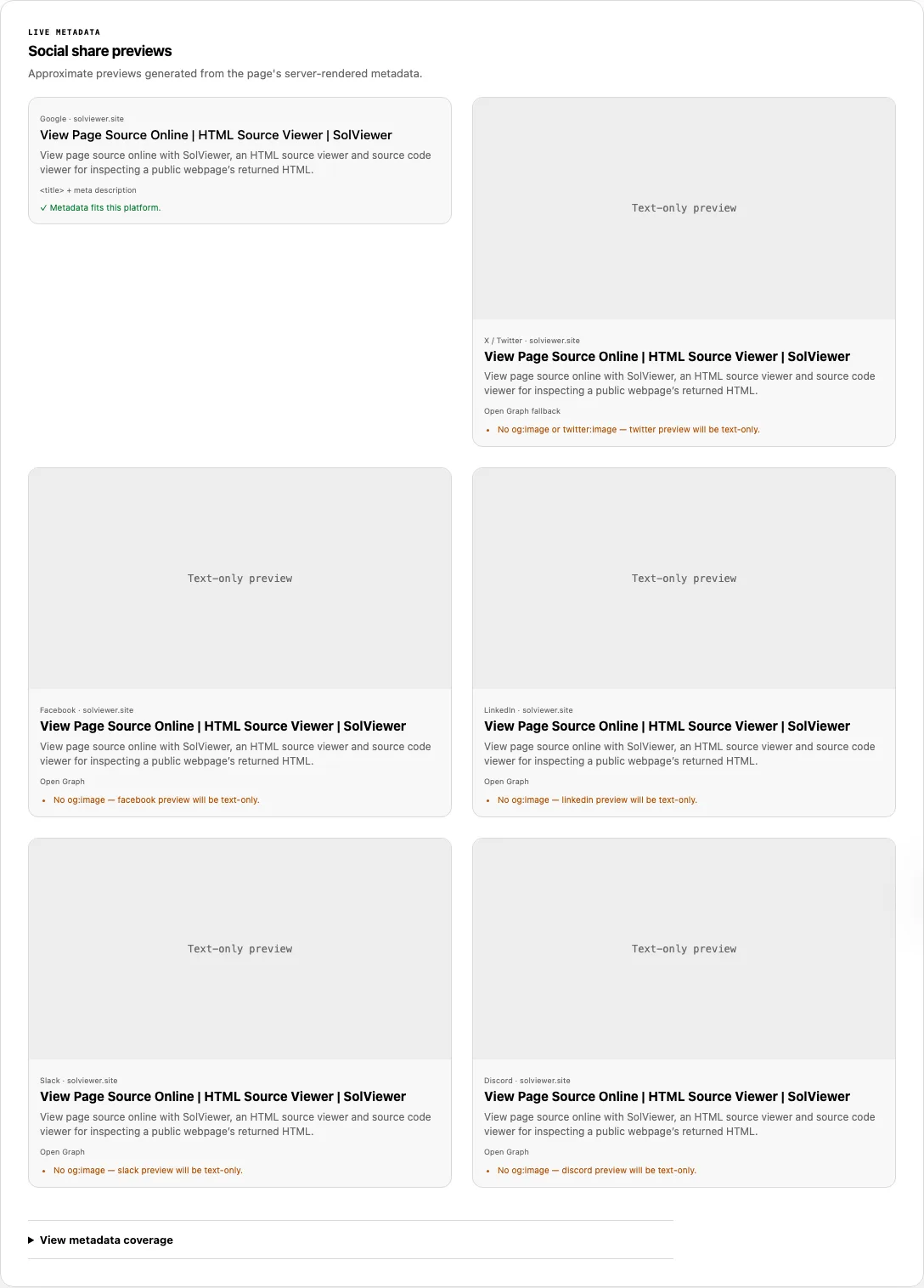
<title>,meta[name="description"],og:*, andtwitter:*tags. - Compare the six generated cards in Social share previews (Google, X / Twitter, Facebook, LinkedIn, Slack, and Discord), checking the source badge (such as Open Graph, Twitter Card, or HTML fallback), image dimension probe, and truncation warnings on each card.
- Expand View metadata coverage at the bottom of the report to verify the exact values returned for all 9 core tags.
Reading your results: Platform fallback chains and limits
Different networks read different meta tags and apply different character caps before truncating titles and descriptions. Open Graph Checker models the exact fallback hierarchy and character thresholds below:
| Platform card | Title & description fallback priority | Image source | Title limit | Description limit |
|---|---|---|---|---|
<title> + meta[name="description"] (never uses Open Graph) |
None (text snippet card) | 60 chars | 160 chars | |
| X / Twitter | 1. twitter:title / twitter:description2. og:title / og:description (Open Graph fallback)3. <title> / meta description (HTML fallback) |
twitter:image, then og:image |
70 chars | 200 chars |
1. og:title / og:description2. <title> / meta description (HTML fallback) |
og:image |
150 chars | 300 chars | |
1. og:title / og:description2. <title> / meta description (HTML fallback) |
og:image |
150 chars | 300 chars | |
| Slack | 1. og:title / og:description2. <title> / meta description (HTML fallback) |
og:image |
150 chars | 300 chars |
| Discord | 1. og:title / og:description2. <title> / meta description (HTML fallback) |
og:image |
256 chars | 4,096 chars |
Below the cards, View metadata coverage inspects 9 specific fields: <title>, meta description, og:title, og:description, og:image, og:url, twitter:card, twitter:title, and twitter:image. When an image URL is present, your browser probes it with referrerPolicy="no-referrer": the badge starts at Checking image… and updates to the natural pixel dimensions (such as 1200 × 630px) or Image could not be loaded.
Capability boundary: Every card is an approximate preview built from the current server-rendered HTML. This tool does not execute client-side JavaScript and cannot clear cached cards stored on Facebook, LinkedIn, X, Slack, or Discord servers.
Worked example: Diagnosing missing images and Twitter fallbacks
Suppose you publish a blog post with the following server-rendered <head> tags:
<title>How HTTP Caching Works: A Complete Guide for Web Engineers</title>
<meta name="description" content="Understand Cache-Control, ETag, and Vary headers with practical examples." />
<meta property="og:title" content="How HTTP Caching Works — Engineering Guide and Reference Checklist for Production APIs" />
<meta property="og:description" content="Understand Cache-Control, ETag, and Vary headers with practical examples." />
<meta property="og:url" content="https://example.com/http-caching/" />
When you run Open Graph Checker on this URL, the report surfaces three actionable findings immediately:
- Text-only social cards: Because neither
og:imagenortwitter:imageis declared, all five social cards display a Text-only preview placeholder and warn:No og:image — facebook preview will be text-only.(and on X:No og:image or twitter:image — twitter preview will be text-only.). - Source fallback on X / Twitter: Because
twitter:titleis omitted whileog:titleis present, the X / Twitter card displays the badge Open Graph fallback rather than Twitter Card. - Platform-specific title truncation: The 86-character
og:titlefits inside Facebook, LinkedIn, Slack (150-character limit) and Discord (256-character limit), but triggersTitle may truncate after 70 characters.on the X / Twitter card. Meanwhile, the Google card ignoresog:titlecompletely and uses the 58-character HTML<title>, passing with✓ Metadata fits this platform.
Why a live Facebook, LinkedIn, or Slack card differs from this preview
When you fix a broken og:image or update an og:title on your server, Open Graph Checker immediately reflects the new HTML because it fetches your origin directly. However, pasting the same URL into Facebook, LinkedIn, X, or Slack may still show last week's image or title. Here is why:
- Aggressive platform caching: Social networks do not re-fetch your HTML every time a user views a post. The first time a URL is shared, the platform's scraper downloads your metadata and caches the rendered card image on its own CDN for days or weeks.
- How to force a cache refresh: Once SolViewer confirms your server HTML contains the updated tags, open the official Facebook Sharing Debugger (click Scrape Again) or the LinkedIn Post Inspector to purge their stored snapshot. Another reliable technique when changing an image is to rename the image file or append a version query string (such as
og-card-v2.png) so social crawlers treat it as a brand-new asset. - Crawler-specific blocks: Slack (
Slackbot-LinkExpanding), Facebook (facebookexternalhit), and LinkedIn (LinkedInBot) send different User-Agent headers and originate from different IP ranges. If your CDN WAF or/robots.txtblocks one of those bots, that network will fail to unfurl your card even when the HTML tags are valid.
Common problems and fixes
Resolve common social preview failures with these HTML and server fixes:
- The image badge says
Image could not be loaded.
Cause: Yourog:imageURL returns a 404/403 error, points to an expired temporary asset, blocks requests without aRefererheader (hotlink protection), or serves an unsupported format.
Fix: Serve a public HTTPS PNG, JPEG, or WebP image (typically1200 × 630pxforsummary_large_imagecards) that allows anonymousno-referrerGET requests. See Facebook's Best Practices for Sharing Images:<meta property="og:image" content="https://example.com/media/share-card.png" /> <meta property="og:image:width" content="1200" /> <meta property="og:image:height" content="630" /> <meta name="twitter:card" content="summary_large_image" /> - All Open Graph tags show
Missinghere, but you see them in Chrome Inspect Element.
Cause: Your frontend framework (such as client-rendered React Helmet or Vue Meta) injectsmeta[property^="og:"]tags via JavaScript after the page loads in a browser. Social media link crawlers (Facebook, LinkedIn, Slack, Discord, X) do not execute arbitrary page JavaScript when unfurling links.
Fix: Render all Open Graph and Twitter Card tags on the server (SSR) or at build time (SSG) so they exist in the initial HTTP response. - Relative
og:imagepaths fail on external social platforms.
Cause: Writingcontent="/images/og.png"instead of a full URL. While SolViewer resolves relative paths against the page URL so you can test the image, the Open Graph protocol strictly requires a full URL with scheme and hostname.
Fix: Always write absolutehttps://URLs inog:imageandog:url. - The Google card does not show your
og:titleorog:image.
Cause: Google Search builds its standard text snippet from<title>,meta[name="description"], and visible page copy rather than Open Graph tags.
Fix: Keep both your standard HTML metadata and your Open Graph metadata populated. Use SERP Snippet Preview to test pixel truncation for Google search results.
How this check works
Open Graph Checker requests the public URL and parses the returned HTML with DOMParser without executing scripts. It extracts standard HTML metadata, nine Open Graph properties (title, description, image, url, type, site_name, image:width, image:height, and image:alt), and seven Twitter Card properties (card, title, description, image, site, creator, and image:alt).
Each of the six platform cards applies its documented fallback chain and character limits, while the browser loads the resolved preview image with referrerPolicy="no-referrer" to read naturalWidth and naturalHeight. Note that the Open Graph specification defines four required properties for every object—og:title, og:type, og:image, and og:url—and you can verify og:type directly in SEO Checker or View Source.
All URL fetches follow the SolViewer public retrieval limits.
Frequently asked questions
Why is my Open Graph image not showing when I share a link?
The three most common causes are: (1) og:image is injected by client-side JavaScript instead of server HTML, (2) the image URL is relative or blocked by hotlink/firewall rules, or (3) the social platform cached an older version of your page before the image tag was added. Check whether og:image is listed in View metadata coverage and whether the pixel dimensions load on the card.
What is the recommended image size for Open Graph and Twitter Cards?
A 1200 × 630px image (1.91:1 aspect ratio) under 5 MB in PNG, JPEG, or WebP format works cleanly across Facebook, LinkedIn, Slack, Discord, and X (when paired with twitter:card set to summary_large_image).
Do I need to duplicate every Open Graph tag as a twitter:* tag?
No. X / Twitter automatically falls back to og:title, og:description, and og:image when twitter:title, twitter:description, and twitter:image are omitted. Defining <meta name="twitter:card" content="summary_large_image"> alongside your Open Graph tags is sufficient unless you want X-specific copy or images.
Does Open Graph metadata directly improve Google search rankings?
No. Open Graph tags are designed for social networks and messaging apps. Google Search primarily uses <title>, meta[name="description"], visible headings, and structured data rather than Open Graph tags.
Why does Slack show my link preview while Facebook shows a blank card?
Slack unfurls links on demand and follows HTML fallbacks generously, whereas Facebook relies on its cached scrape and enforces stricter image size, MIME-type, and crawler access rules. Run the URL in Facebook's Sharing Debugger to inspect Facebook's exact scraper response.
Related tools
- SEO Checker — validate
og:type, bounded server-sideOpen Graph image responseand dimensions, and full on-page SEO signals. - Meta Description Checker — audit your HTML
meta[name="description"]pixel width and snippet directives for Google Search. - SERP Snippet Preview — test how your title and description truncate in desktop and mobile Google search results.
- View Source — inspect the raw server HTML to confirm that
og:*andtwitter:*tags are not trapped inside client-side scripts.
Public URL requests follow the shared fetch limits on the About page.